

TRIP



🗺️ Tourism and Recreational Interest Points
📝 Table of Contents
- 📦 About
- 🌱 Getting Started
- 📸 Demo
- 🚧 Roadmap
- 📜 License
- 🤝 Contributing
- 🛠️ Tech Stack
- ✍️ Authors
📦 About
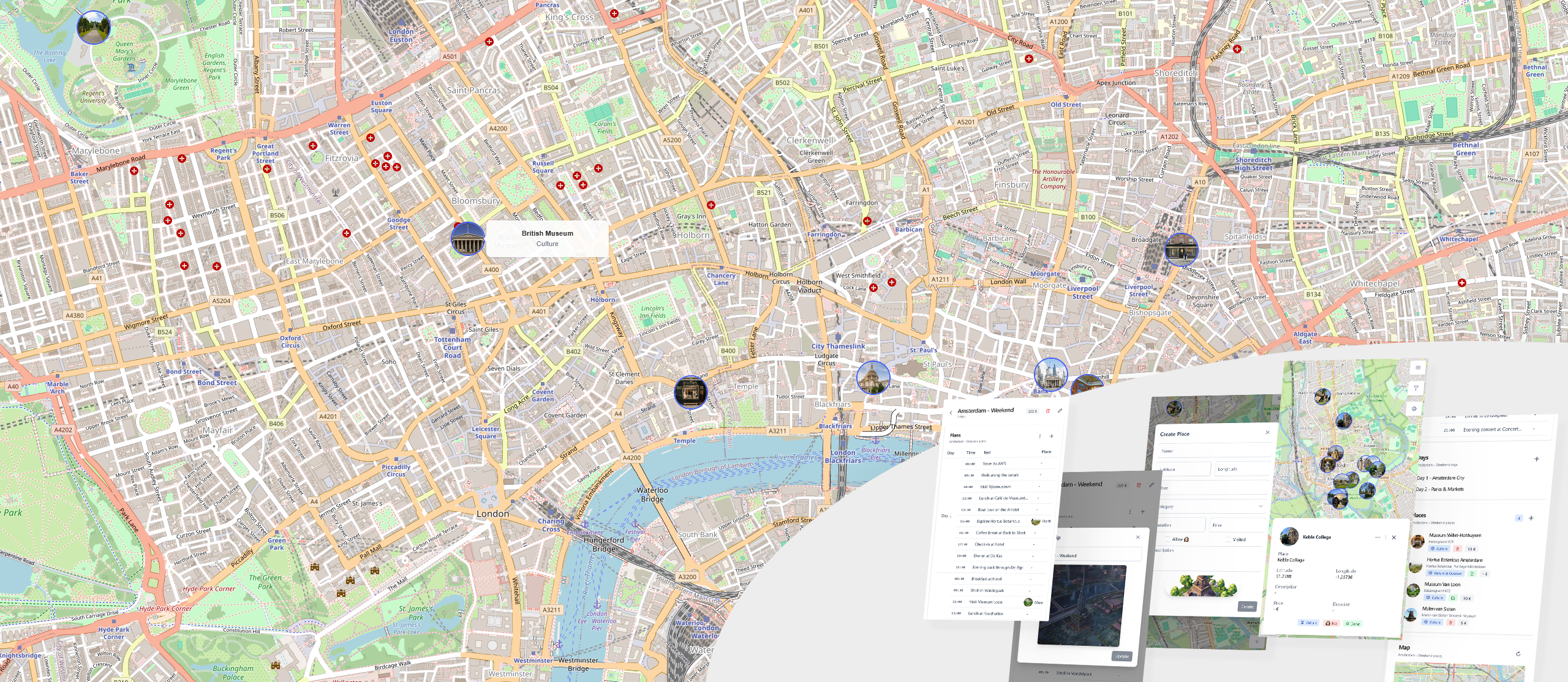
TRIP is a minimalist Map tracker and Trip planner, to visualize your points of interest (POI) and organize your next adventure details.
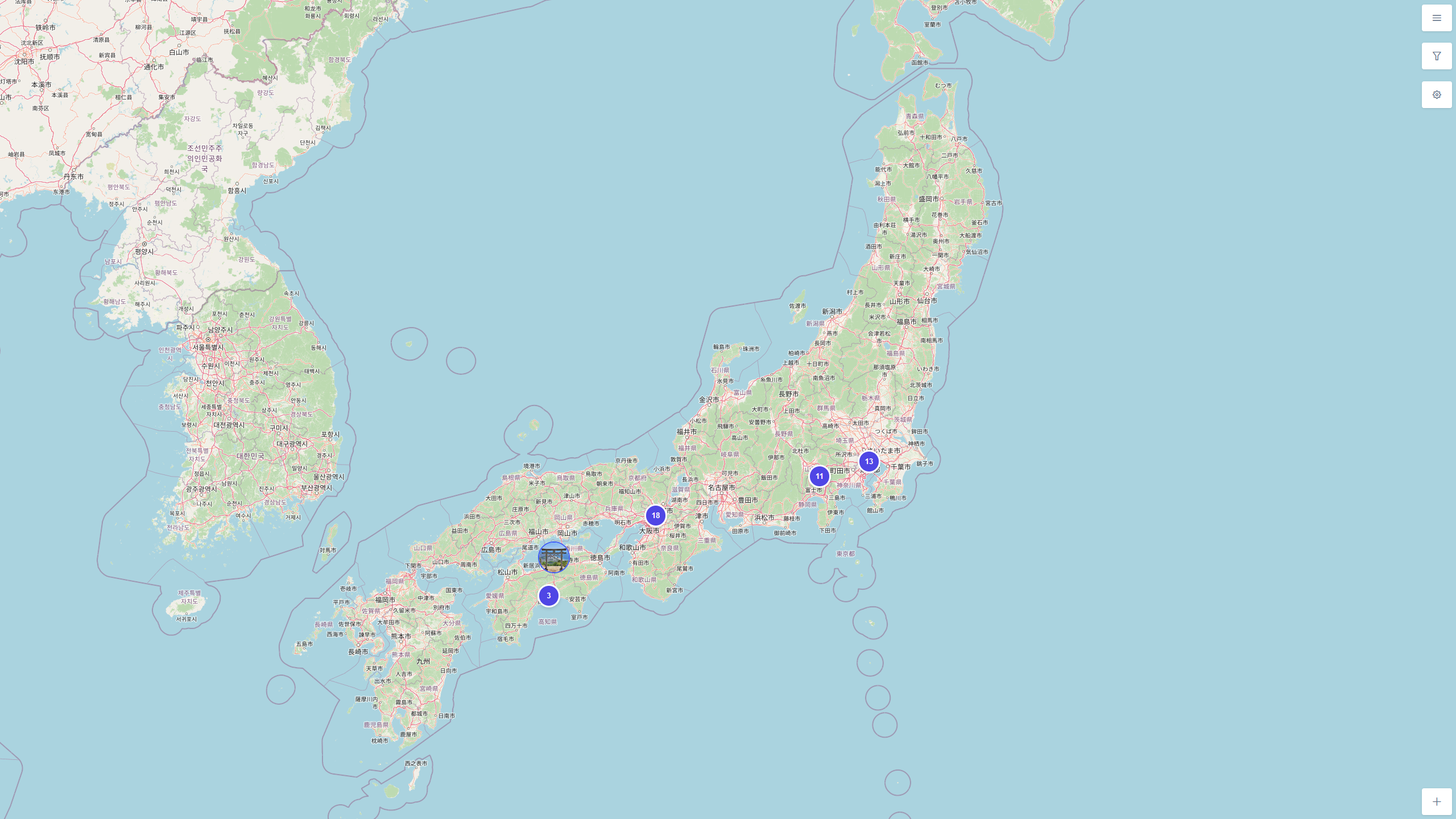
- 📍 Manage your POI on a Map
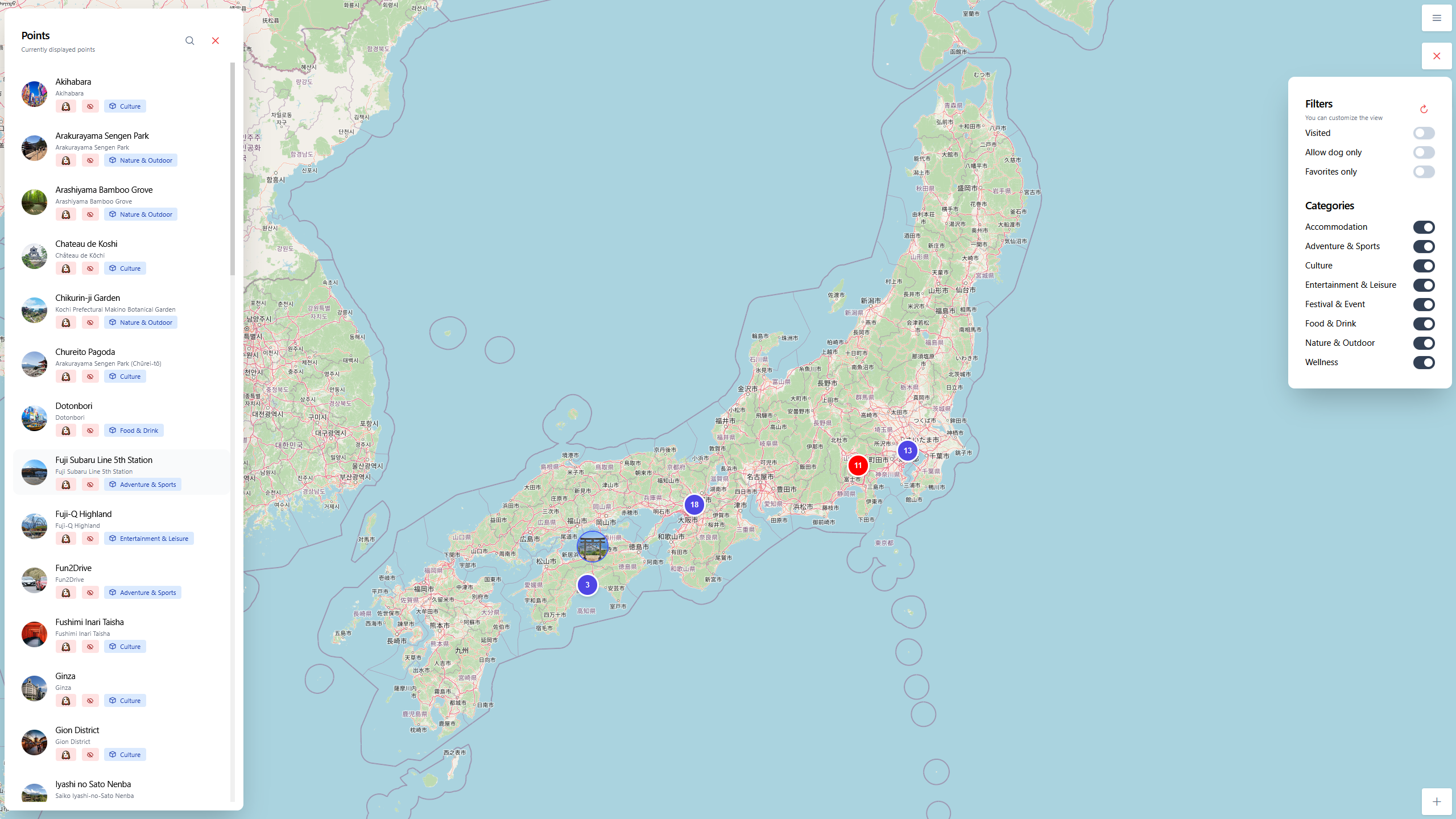
- 🐾 Specify metadata (dog-friendly, cost, duration)
- 🗂️ Categorize your points
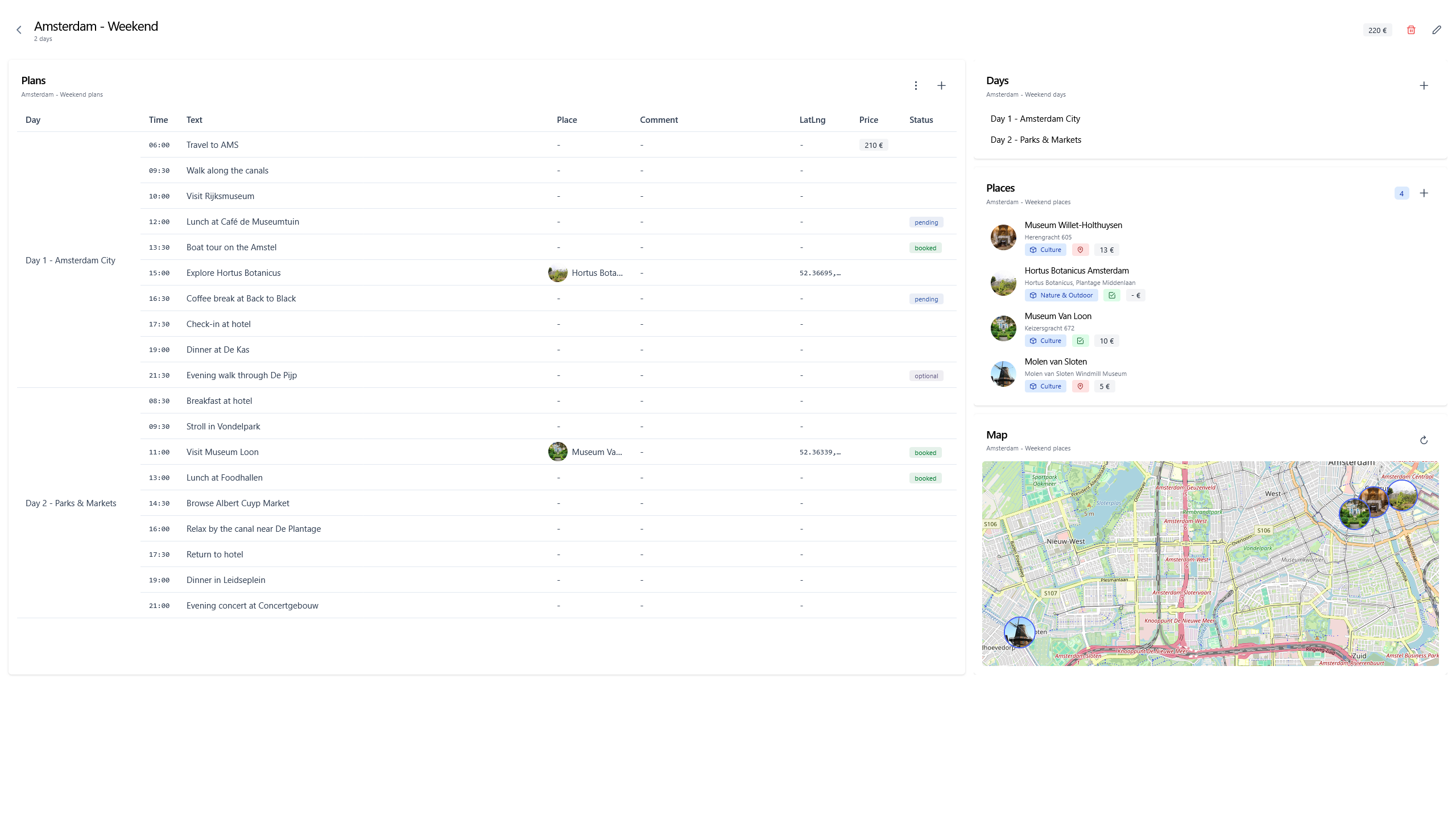
- 🧾 Plan your next trip in a structured table, Google Sheets-style
- 🔍 Use map filtering and searching for fast interactions
- ⚙️ Customize your settings, import/export your data, and more
Demo is worth a thousand words, head to 📸 Demo.
🔒 Privacy-First – No telemetry, no tracking, fully self-hostable. You own your data. Inspect, modify, and contribute freely.
🌱 Getting Started
These steps will guide to deploy the app, ready to use in ⏱️ minutes.
If you need help, feel free to open an issue.
Note
Packages are available in the packages section of the repository for quickstart, using just
docker pull
docker run -p 8080:8000 -v ./storage:/app/storage ghcr.io/itskovacs/itskovacs/trip:1.0.0
Preparation
Clone the repo, you're one step away from being all set
git clone https://github.com/itskovacs/trip.git
cd trip
Docker 🐳 (recommended)
If needed, edit docker-compose.yml to modify the mapped port (default is 127.0.0.1:8080).
Run the container, head to TRIP website, create an account, enjoy ✅
docker compose up -d
Serving the content
You can serve TRIP using a web server, eg: Nginx
server {
    listen 443 ssl;
    listen [::]:443 ssl;

    server_name trip.lan; # Your TRIP domain

    location / {
        proxy_pass http://localhost:8080; # TRIP port, default is 8080
        proxy_set_header Host               $host;
        proxy_set_header X-Real-IP          $remote_addr;
        proxy_set_header X-Forwarded-For    $proxy_add_x_forwarded_for;
        proxy_set_header X-Forwarded-Proto  $scheme;
        proxy_set_header Upgrade            $http_upgrade;
        proxy_set_header Connection         "upgrade";
    }
}
Sources 👩💻
Install from sources and run the backend. Build the frontend and serve it with the web server.
backend
cd backend

# Source virtual environment
python -m venv venv
source venv/bin/activate

# Install dependencies
pip install -r trip/requirements.txt

# Run the backend, port :8000
fastapi run trip/main.py
frontend
cd frontend

# Install dependencies
npm install

# Build the frontend
npm build

# Copy the build to your static web server directory
cp -r dist/trip/browser /var/www/html
📸 Demo
A demo is available at itskovacs-trip.netlify.app.
 |
 |
 |
 |
🚧 Roadmap
New features coming soonTM, check out the development plan in the Roadmap Wiki. If you have ideas 💡, feel free to open an issue.
If you want to develop new feature, feel free to open a pull request (see 🤝 Contributing).
📜 License
I decided to license trip under the CC BY-NC-SA 4.0 – You may use, modify, and share freely with attribution, but commercial use is prohibited.
🤝 Contributing
Contributions are welcome! Feel free to open issues if you find bugs and pull requests for your new features!
- Fork the repo
- Create a new branch (
my-new-trip-feature) - Commit changes
- Open a pull request
🛠️ Tech Stack
Frontend
- 🅰️ Angular 19
- 🏗️ PrimeNG 19
- 🎨 Tailwind CSS 4
- 🗺️ Leaflet 1.9 (plugins: Leaflet.markercluster, Leaflet.contextmenu)
Backend
- 🐍 FastAPI, SQLModel
- 🗃️ SQLite
✍️ Authors
If you like TRIP, consider giving it a star ⭐!
Made with ❤️ in BZH